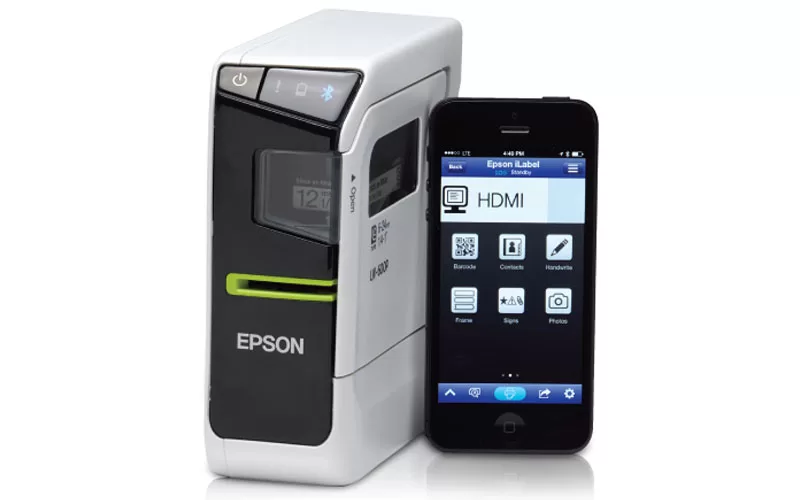
Do you ever wonder where things mysteriously go when they go missing at school? One year my son would leave every jacket I sent him with to school behind. I decided after a few jackets went missing to go to the school and get down to the bottom of the “missing jackets”. It turns out that the school had several LARGE trash cans (new not used) full of jackets. I must have looked through a hundred jackets trying to find at least one of my sons. If only I had labeled them. Today I’m reviewing the EPSON LW-600P wireless label printer.
EPSON LW-600P Review
The EPSON LW-600P is a wireless label printer that is app-enabled. In addition to the LW-600P wireless label printer, we received both iron-on labels and regular sticker labels to use in the printer. While my daughter is much better about keeping her things together we are going to use the EPSON LW-600P to label some of her items. We came up with several projects to test out the wireless label printer. We selected two projects to highlight how easy the EPSON LW-600P printer is to use.
How the Epson WIRELESS Label Printer Works
- Plug in the device using the AC adapter or insert the six provided AA batteries
- Insert the needed label tape
- Press the button to power on your EPSON LW-600P (Bluetooth light will illuminate). You will use the same button to turn off the device.
- Enable Bluetooth on your phone
- Connect the device to your phone
- Create your label and print
The steps to use the wireless label printer were easy and I love that it connects via WiFi so that I don’t have to have the printer sitting next to my computer. It can be used anywhere, without being next to an electrical outlet since it also runs on batteries. Use your smartphone to communicate with the wireless label printer. Download the Epson iLabel app and you are ready to get started.
Epson iLabel App
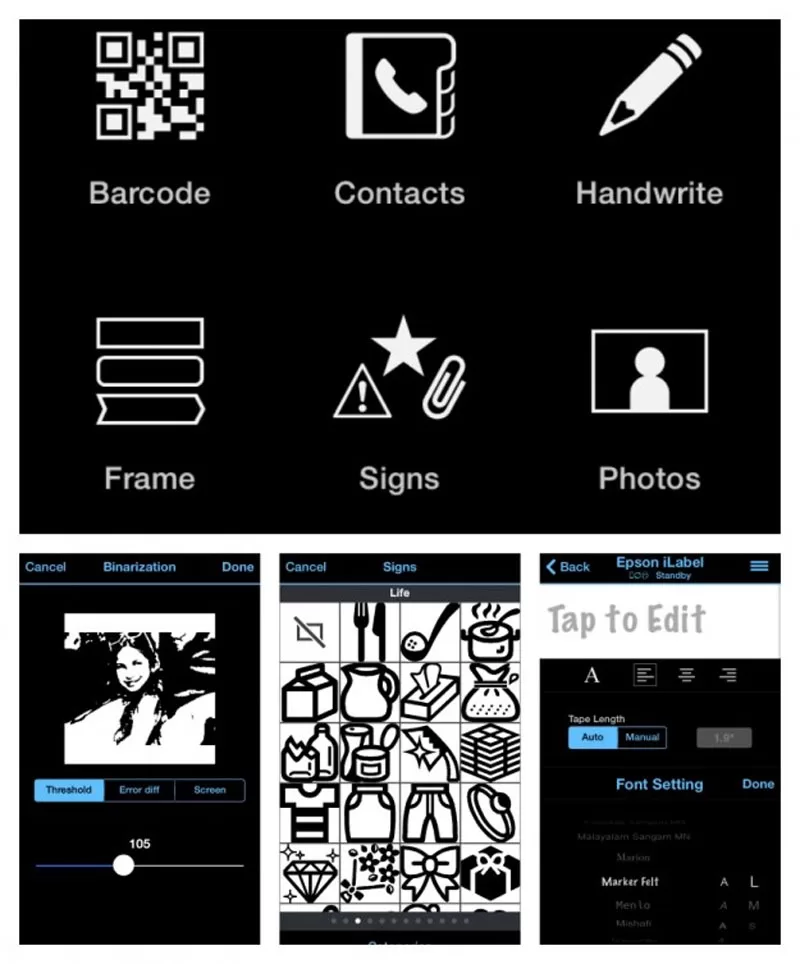
All the label creation is done right in your hands. The Epson iLabel gives you many options to personalize your labels. Choose among many different fonts and sizes, add photos, signs, frames, stamps, and more! All the power is with you and your Epson LW 600-P wireless label maker! You can create as simple or decorative labels as you would like. Since we wanted to show you how easy the iron-on labels were we created an easy name label to add to a shirt.
Iron-On Labels
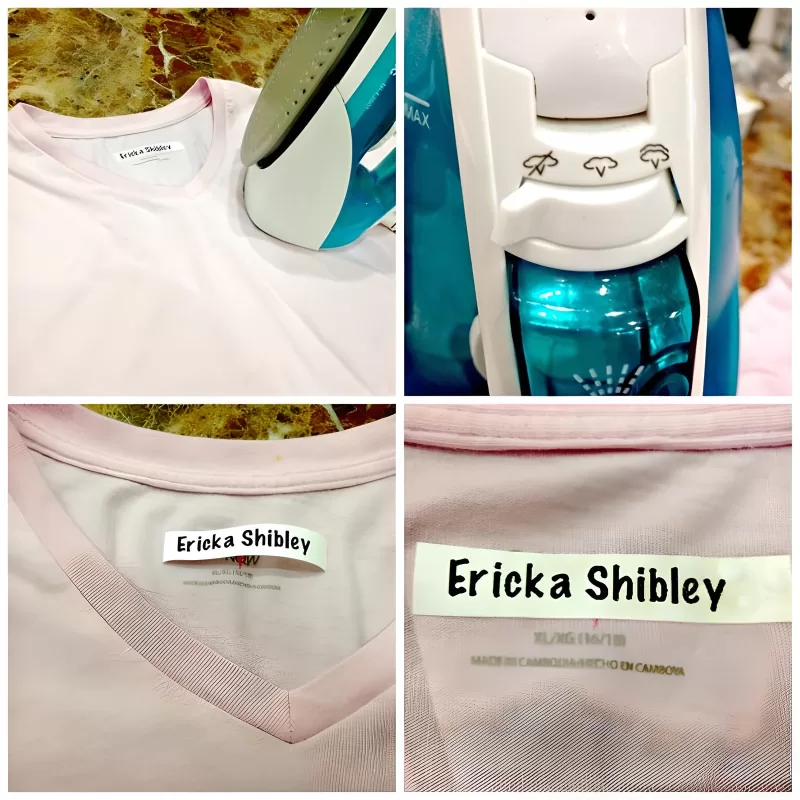
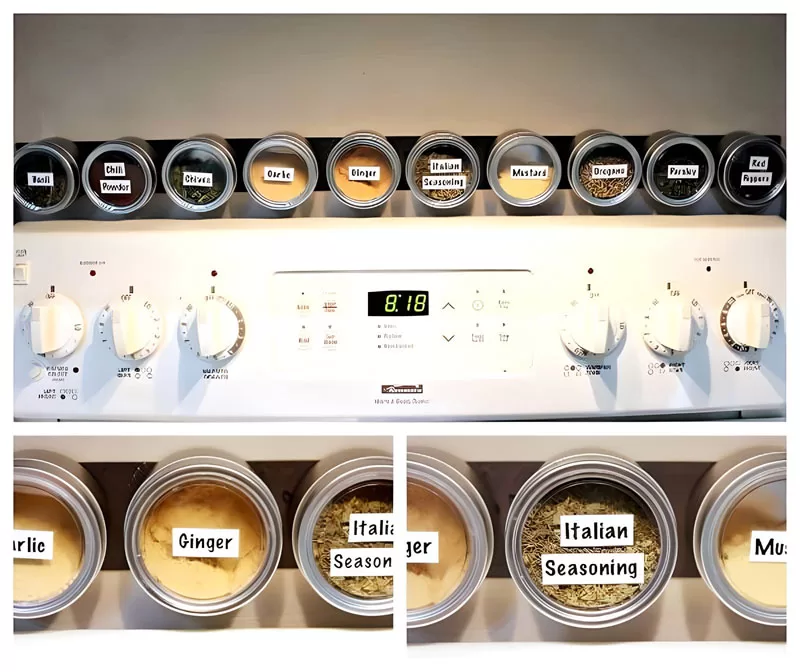
The label was out and ironed on in a matter of minutes. It was so easy my daughter did the majority of the work herself (I did the ironing). I had a great project for my new Epson LW 600-P wireless label printer. When we moved into our new home I put up a magnetic spice rack above the stove. The only thing missing was labels on my spices.
Magnetic Spice Rack Project
Epson Label Printer Key Highlights
- Lightweight, small form factor – the smallest 24mm (~1”) label printer on the market
- Includes over 100 label design templates and 400 symbols
- Compatible with a variety of tapes, including iron-on, glow-in-the-dark, metallic reflective, and ribbons
- Bluetooth® connectivity for use with smartphones and tablets
We love our new label printer and can’t wait to use it on our next project!
Product links
- Label printer
- Magnetic strip for spice rack
- Spice canisters