These days, photos are everywhere—on Instagram, in family albums, on résumés, or as part of creative projects. But not everyone wants to pay for expensive photo shoots or struggle with complex editing software. That’s where PhotoDiva, a free portrait editor, comes in. It promises to make portrait editing easy, quick, and surprisingly fun. Whether you just want a polished selfie or some glamour photo editing, this software gives your photos that professional touch without the hassle.
What makes PhotoDiva appealing is its flexibility. If you’re a beginner, you can rely on the automatic tools to get instant results. If you enjoy tweaking the details, there are sliders and editing tools that let you refine every aspect of a photo. Since it’s designed specifically for portraits, the features focus on skin, lighting, and facial details to keep edits natural.
AI Auto Retouch: Glamorous Portraits Instantly
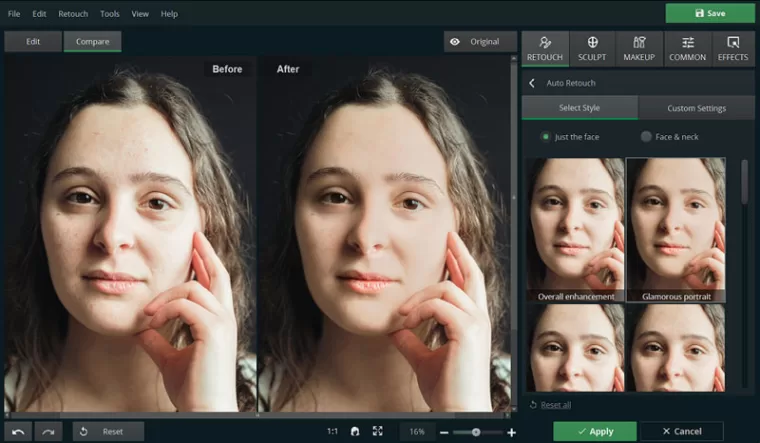
This is where PhotoDiva really shines. One click—that’s all it takes for the AI to sweep over your photo and smooth out the rough spots. Skin tone evens out, dark circles under the eyes disappear, lips get brighter, lighting feels softer, and suddenly that casual snapshot looks like it could belong in a magazine spread. All you need to do is pick a style, like “overall enhancement” or “glamorous portrait,” and let the program do the heavy lifting. It’s almost like having a mini makeup artist living inside your laptop. The transformation is instant and, better yet, natural-looking.
One-Click Presets: Instant Fixes for Everyday Issues
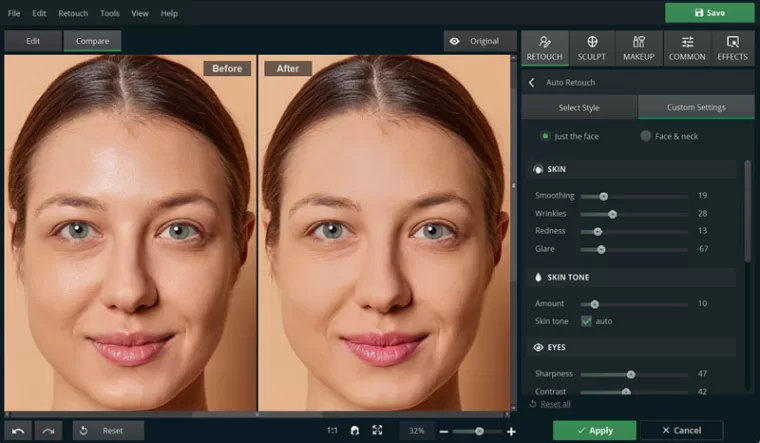
Dark circles, excessive glare or redness, uneven skin tones—these are common in everyday photos. Instead of spending time fiddling with complicated menus, PhotoDiva offers one-click presets that handle them in seconds. Want brighter eyes or smoother skin? Just apply a preset and watch the magic operate. If you want more control, sliders let you dial the effect up or down. Just go to the Custom Settings and adjust all the parameters you’d like to tweak, watching the effect in real-time mode. In case you overdo something, you can go a step back anytime. The control is in your hands, but all the hard work is already done for you.
Healing Brush: Say Goodbye to Blemishes
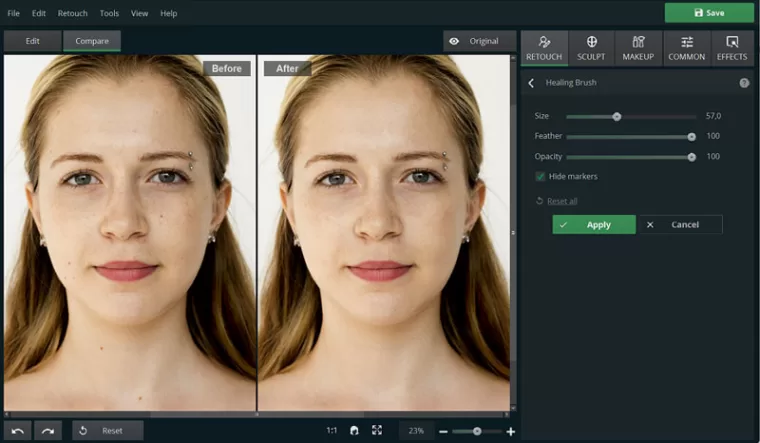
The Healing Brush is another standout. Got a pimple, a stray hair, or some freckles? Just click on the unwanted detail, and the software blends it seamlessly into the surrounding skin. It’s quick, intuitive, and a lifesaver for polishing portraits before sharing them.
Teeth Whitening: Get a Hollywood Smile in a Click
PhotoDiva also includes tools for teeth whitening. With a single slider, you can brighten a smile and whiten your teeth to the degree you judge both natural and attractive.
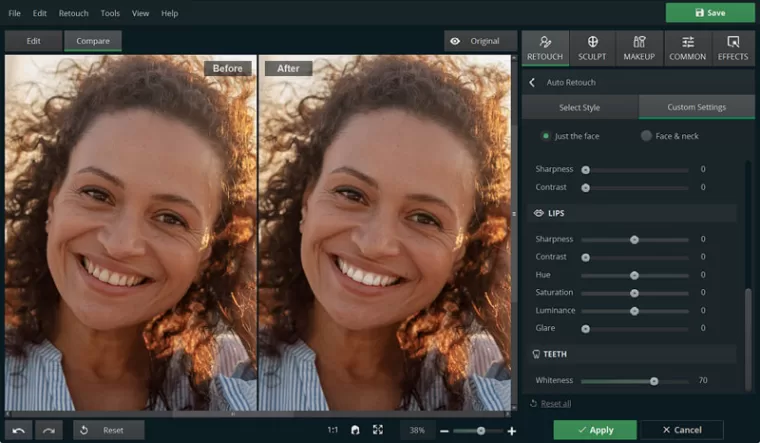
Face Sculpting: Bring Out Your Best Angles
The face sculpting tool adds another layer. Want to enhance cheekbones? Slim the jawline just a touch? Refine the nose? It’s all possible—and subtle enough to look natural. Instead of reshaping you into someone unrecognizable, it highlights the features you already love. It can actually be a lot of fun to play around with all these sliders, and before you know it, you’ve spent half an hour experimenting. Just remember—less is often more!
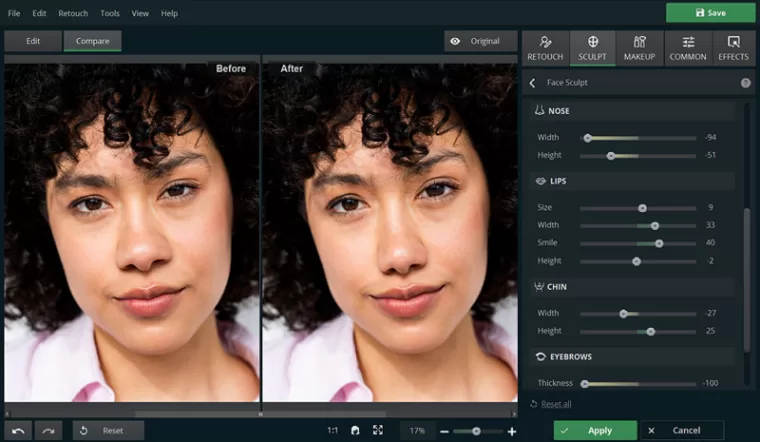
Body Sculpting: Get Slimmer Without Diet or Exercise
PhotoDiva doesn’t just stop at faces—it also gives you tools to refine the body in photos. With the Body Sculpt feature, you can gently slim the waist and legs, flatten the belly, or even enhance areas like the chest or muscles. The edits are designed to look delicate and natural, so your photos don’t end up with that “overly retouched” look. It’s a little more advanced than adjusting facial features, so it might take a bit of practice to get it right. But once you get the hang of it, the results can be pretty stunning. Think of it as a way to polish your photos while still keeping them realistic—perfect for portraits where you want to look your best without making it obvious that you edited anything.
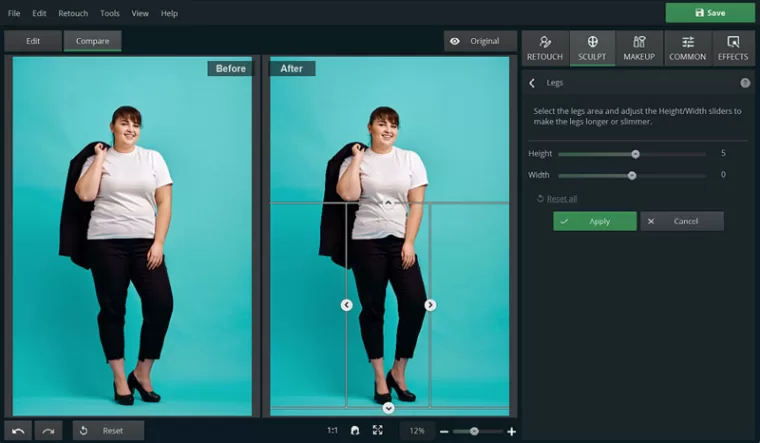
Virtual Makeup: From Subtle Glow to Bold Glam
PhotoDiva also comes with a virtual makeup kit that lets you experiment without ever opening a lipstick tube. You can play with lipstick, blusher, bronzer, highlighter, or even bold eyeshadows — all applied digitally in just a click. No need to trace or color manually: simply pick the shade and style you want, then adjust the intensity until it feels right. It’s a fun way to boost a portrait, test daring looks for a special occasion, or even figure out which hues suit you best before spending money on real cosmetics. From natural tones to dramatic evening styles, the results look polished yet believable.
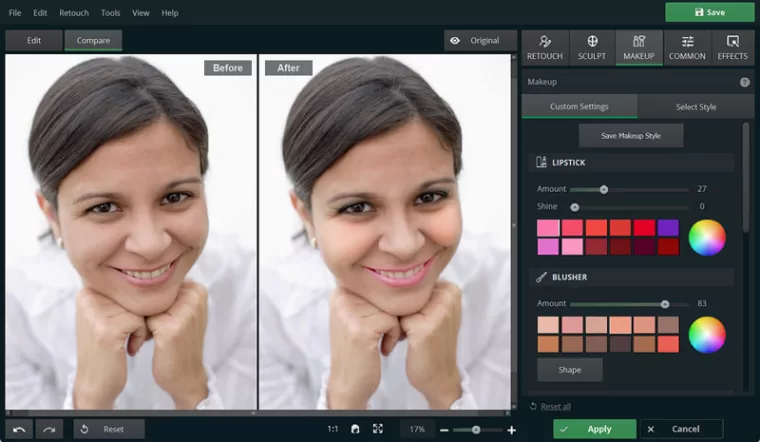
Overall Enhancement with Sliders and Effects
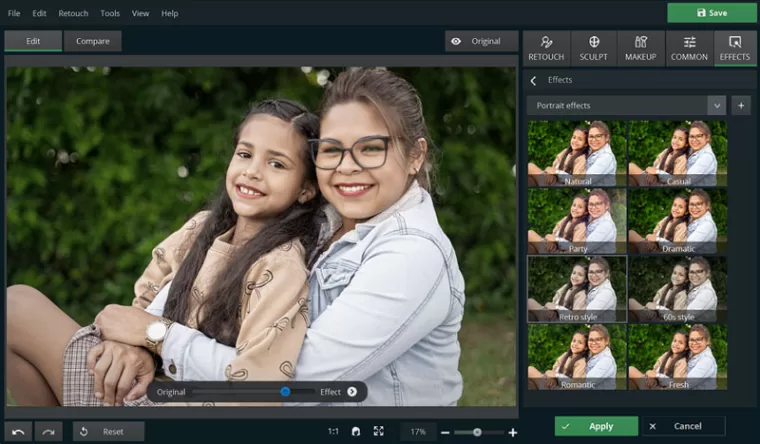
With PhotoDiva, you can also tweak the overall color balance of your photo, adjust its exposure, contrast, and sharpness, including adding some blur to the background to focus on the model, or add creative effects. Want to give a portrait a warm vintage glow or emphasize certain tones? The software makes it easy, while keeping the results realistic.
Simple Workflow, Tailored for Portraits
The workflow in PhotoDiva is straightforward:
- Import your photo.
- Choose a one-click preset.
- Fine-tune with sliders if you want more control.
- Save and share.
Because everything is optimized for portraits, you won’t waste time searching through irrelevant features. It’s clean, focused, and efficient.
Why PhotoDiva Stands Out
There are plenty of photo editors out there, but PhotoDiva’s charm lies in its balance: powerful enough to deliver polished results, but simple enough that anyone can use it. It’s free, beginner-friendly, and avoids the overly artificial look that some apps create. That said, it’s important to note what it’s not. This isn’t Photoshop—you won’t be merging multiple images or doing graphic design. PhotoDiva is about making faces look their best, whether in selfies, family portraits, or professional headshots. And it does that job very well.
Everyday Uses
- Upgrade your social media selfies in seconds.
- Give your family photos a cleaner, brighter look.
- Polish school or work portraits to look more professional.
- Experiment with artistic tweaks when you’re feeling creative.
It’s a tool that adapts to everyday life—fast, practical, and surprisingly versatile.
Final Thoughts
PhotoDiva is a solid choice for anyone who wants better portraits without investing money or hours learning complicated software. Its AI auto retouch, presets, healing brush, whitening, and sculpting tools give you everything you need to make portraits shine—naturally. Whether you’re posting selfies, putting together a family album, or just want to look your best in everyday photos, PhotoDiva makes the process quick, easy, and free. And honestly? That’s exactly what most of us are looking for.